
Optimizing Images for Shopify: What We Deliver
On Shopify, your images do more than showcase your product—they impact page speed, SEO, user experience, and ultimately, conversions.
Unoptimized images slow down your store, hurt search rankings, and frustrate customers. Properly optimized images, on the other hand, create a fast, seamless shopping experience that builds trust and drives sales.
Here’s exactly what we deliver when we optimize images for Shopify stores.
1. Proper Image Sizing (No More Oversized Files)

One of the most common issues we see is uploading massive, high-resolution images straight from a camera.
Shopify automatically resizes images for different screen sizes—but that doesn’t mean you should upload 6000px-wide files.
We:
Resize images to optimal Shopify-friendly dimensions
Maintain crisp quality across desktop and mobile
Ensure consistent aspect ratios for clean collections and product grids
Result: Faster load times without sacrificing clarity.
2. File Compression Without Visible Quality Loss
Large image files are one of the biggest contributors to slow page speeds.
We:
Compress images using advanced lossless and smart lossy techniques
Reduce file sizes significantly
Preserve sharpness and detail
This improves:
Page speed scores
Core Web Vitals performance
Overall user experience
Fast sites convert better. It’s that simple.
3. Correct File Formats (WebP, JPEG, PNG)
Not all images should be saved the same way.
We:
Use JPEG for photography-heavy product images
Use PNG when transparency is needed
Implement modern formats like WebP when appropriate
Modern image formats can dramatically reduce file sizes while maintaining high visual quality.
4. SEO-Optimized File Names & Alt Text
Images are powerful SEO assets when optimized properly.
We:
Rename files using keyword-rich, descriptive naming conventions
(e.g., “black-leather-crossbody-bag.jpg” instead of “IMG_4827.jpg”)Write optimized alt text for accessibility and search visibility
Ensure alignment with your product and collection keywords
This improves:
Image search visibility
Accessibility compliance
On-page SEO strength
5. Consistent Cropping & Visual Uniformity
Nothing makes a store look less professional than inconsistent product images. That’s why these things are so important:
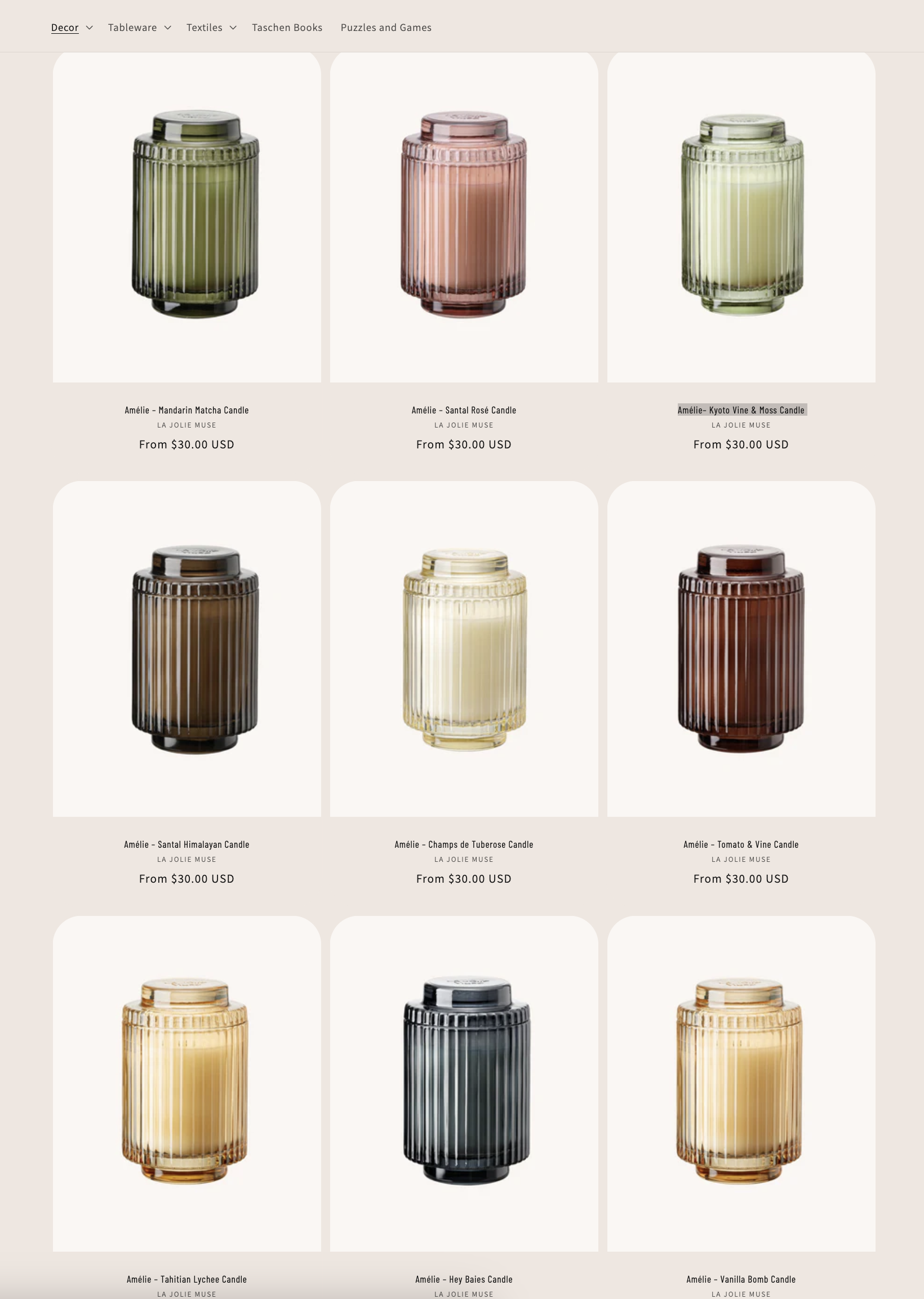
Standardize crop ratios
Align product positioning
Ensure consistent padding and framing
Match lighting and background tones where possible
The result is a polished, premium-looking storefront.
6. Mobile Optimization
Most Shopify traffic is mobile.
We optimize images specifically for:
Smaller screen clarity
Faster mobile load times
Proper scaling across devices
Mobile-first optimization is no longer optional—it’s essential.
7. Ongoing Optimization Strategy
Image optimization isn’t just a one-time task.
We help you:
Set image size guidelines for future uploads
Create templates for consistency
Train your team on best practices
Audit your store periodically for performance issues
This ensures your store stays fast as it grows.
Why It Matters
Optimized images lead to:
Faster load times
Lower bounce rates
Higher conversion rates
Better SEO performance
A more professional brand presence
On Shopify, speed and clarity directly impact revenue. We don’t just compress images—we optimize your store for performance and growth.
Ready to go to the next level with your e-commerce photos? Reach out to Amy today to learn more about her mail in product photo services.